Building a season schedule is the job every league volunteer dreads. You have eight teams, two sheets of ice on Monday nights, a rink that's closed over the holidays, and a promise that everybody plays everybody. So you open a spreadsheet, start dragging matchups around, and three hours later you notice one team has five straight road games and another is home eleven times.
The Schedule Generator in your association dashboard does that job from four answers: which teams are playing, how many games each, when the season starts, and which ice you have every week. It builds the round robin, spreads home ice evenly, and tells you when the season will end.
You Tell It the Ice You Have, Not the Dates You Want
Most scheduling tools ask for a start date and an end date, which is exactly the thing you don't know yet. A season doesn't end on a date you pick—it ends when the games run out, and that depends on holidays, arena closures, and the weeks your rink gave away to a tournament.
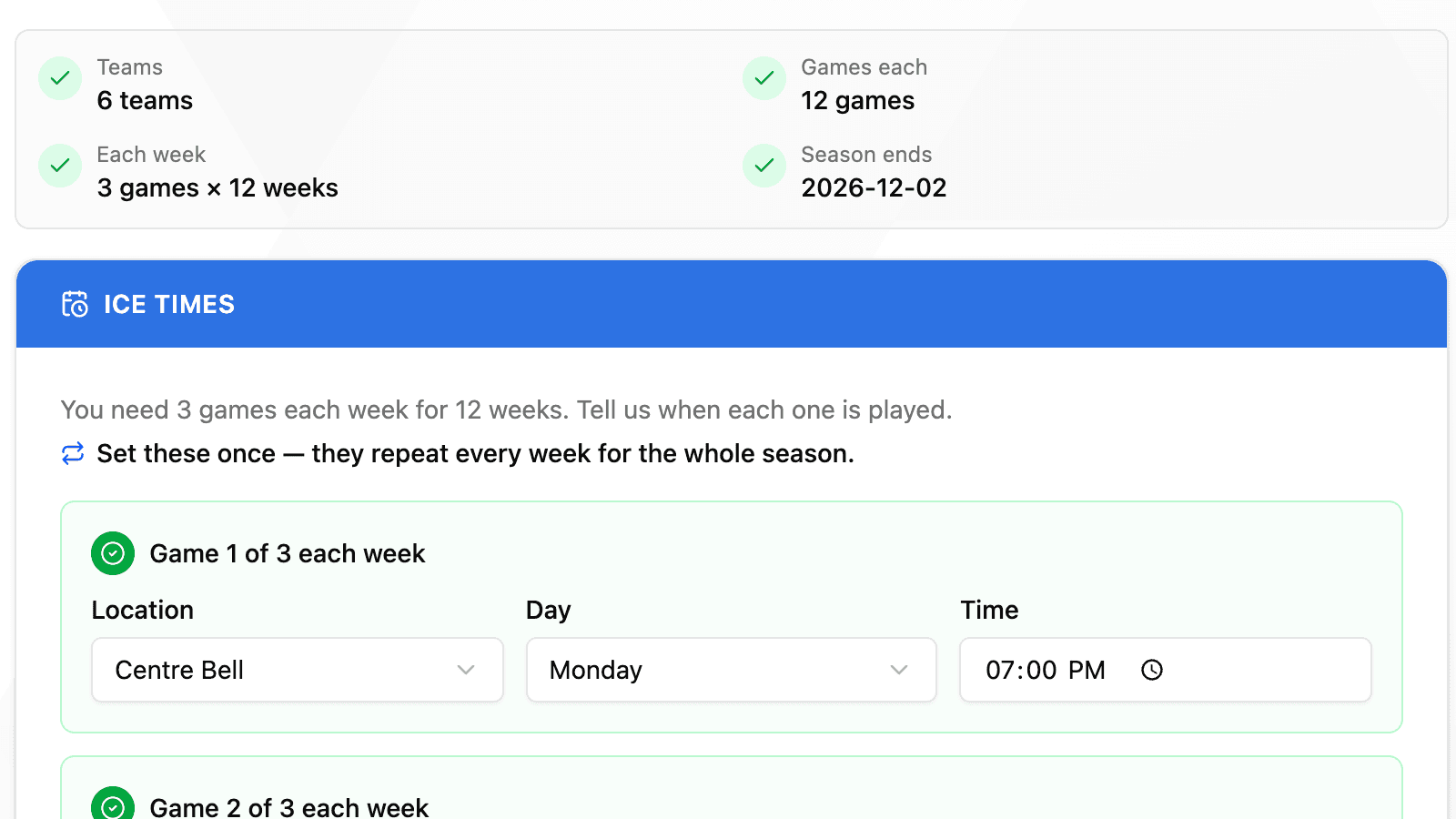
So HockeySync asks only when you start. Twelve games each for six teams means three games a week for twelve weeks, and the generator works forward from your start date until every one of them has ice. The end date is an answer, not a question.
Weekly Ice, Entered Once
Leagues book ice on a pattern: Mondays at 7:00, Mondays at 8:30, Wednesdays at 7:00. You enter each of those once, and it repeats for the whole season. The step shows exactly as many slots as you have concurrent games—a six-team league plays three games a week, so there are three to fill in and no way to get the count wrong.
Every slot then reports what it covers: Mondays · 7:00 PM · Centre Bell — 12 dates, Sep 14 – Dec 2. If you want to see every individual night, they're one click away.
Weeks Off Move the Season, They Don't Shrink It
Closed over the holidays? Rink unavailable for March break? Mark the dates and the season simply runs a week longer. Every team still gets its full run of games— nobody loses one to a closure, which is what happens when a tool filters a date range instead of counting game nights.
You can also skip a single night for a single slot, for the week one sheet of ice went to a tournament while the other ran as normal.
Home Ice, Spread Evenly
A round robin decides who plays whom. It doesn't decide who wears the home jersey, and left alone that falls wherever the rotation lands—which is how a team ends up with ten home games and none away.
HockeySync balances it deliberately: home ice goes to whichever side is furthest behind, so every team finishes within a game of even, and no team plays two home games back to back if it can be avoided. For leagues where the home team supplies jerseys or pays for the ice, that's the difference between a schedule people accept and one they argue about all season.
Times Belong to the Rink
A 7:00 PM game is 7:00 PM at the arena, whether the admin building the schedule is sitting in Montreal, Vancouver, or a hotel three time zones away. Game times are anchored to your league's timezone and stay put across the fall clock change—October 26 at 7:00 PM and November 9 at 7:00 PM are both really 7:00 PM.
Review Before Anything Is Written
The finished schedule appears as a full game list you can filter by team, with a per-team breakdown of opponents, rinks, nights, and start times—so you can check that nobody drew every 10:30 PM slot before you commit to anything.
Two things you can do from that screen:
- Regenerate — draw a different valid schedule from the same inputs, for when the first one is legal but you'd rather see another.
- Swap two games — trade the dates and rink of any two games. Both teams keep the same number of games, so a small fix can't quietly break the schedule.
Applying It Is Deliberate—and Reversible
Writing a season into your league is the one step that changes real data, so it asks first. The confirmation tells you how many games it will create, how many the season already holds, and what the total will be. If there's already a schedule in there, you choose: add to it, or replace the unplayed games—which clears what hasn't been started and never touches a game that already has scoring against it.
And if you change your mind ten seconds later, Undo removes exactly the games it just created. No hunting through a schedule deleting them one at a time.
Get interrupted halfway through? Your draft is saved. Come back and pick up where you left off.
Where to Find It
The Schedule Generator lives in your association dashboard under Tools, and it starts by asking which league you're building for—most organizations run more than one. It's also available from any league's own page.
Once you apply a schedule, it flows into everything else: your public season pages, the standings, and the games your scorekeepers open on game night.
Available Now
The Schedule Generator is live for every HockeySync association. Open your association dashboard, choose Schedule Generator under Tools, and pick the league you're scheduling.
Not using HockeySync yet? Sign up free and build next season's schedule before your next board meeting.