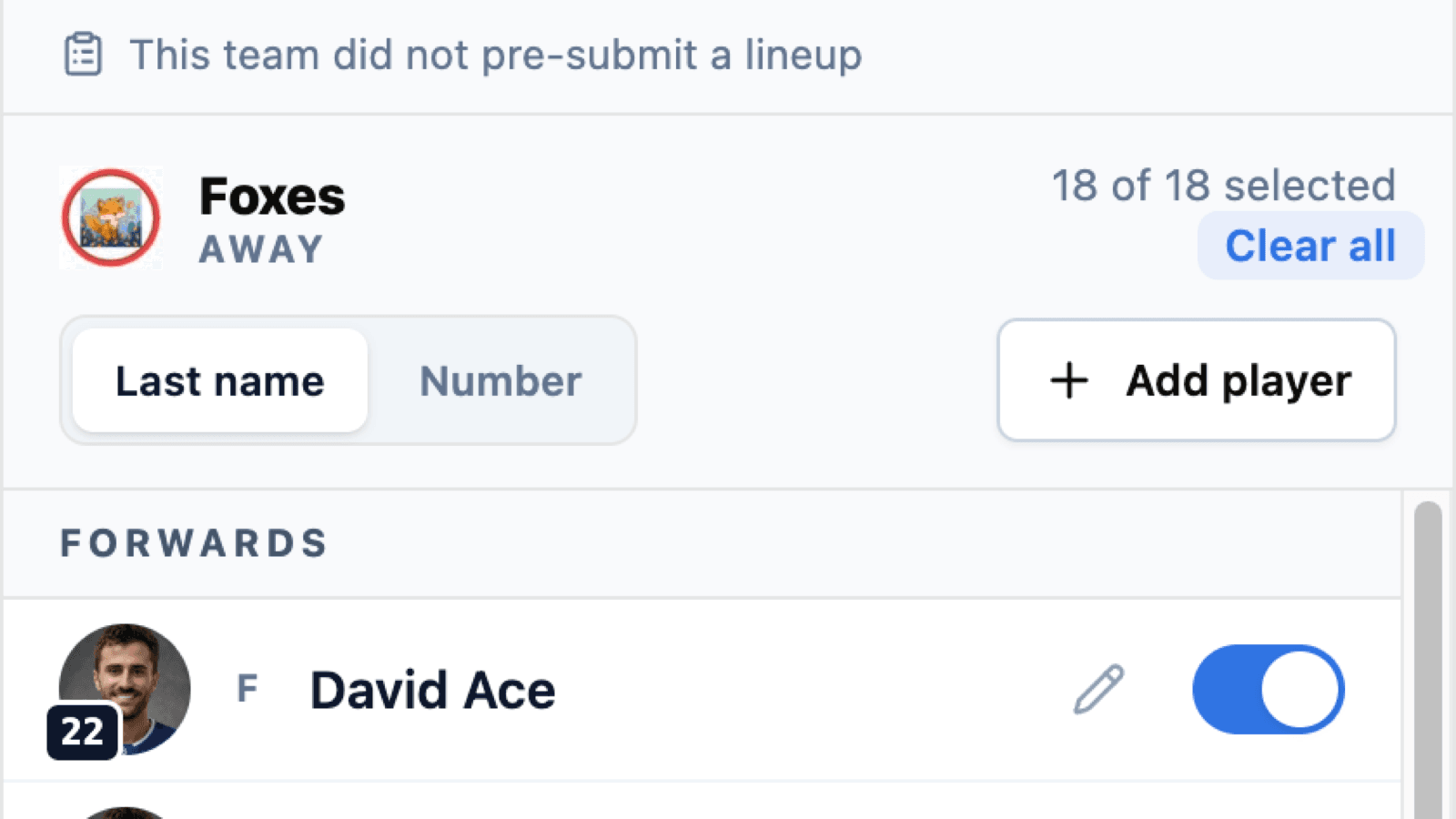
Ten minutes before puck drop, the scorekeeper is standing at the timekeeper's bench with a phone, building two lineups from scratch. Twenty-two names to toggle, two goalies to name, and a coach leaning over the glass saying “no, Marchand's out tonight, and we've got a spare in.” The warm-up ends. The game starts late.
Pre-game lineups move that work to where it belongs: the coach, the night before. While a game is still scheduled, team staff get a card on the game page for their own bench. Toggle who's dressed, name a starting goalie, submit. When the scorekeeper taps Start, both benches are already selected and their job is the last-minute edits instead of the whole roster.
One Team, Your Team
A coach opens a single-team version of the lineup sheet—their side only. They can't touch the opponent's bench, and they can't touch the score, the clock, or anything else about the game. The submission writes one side's lineup and that side's goalies, and nothing more.
The players available are the ones actually on the roster. Names, numbers and positions are read back from the season roster on the server, so a submission can't invent a player or dress somebody from another team.
The Opposing Coach Can't See It
This is the part that makes the feature usable at all. A lineup filled in the night before is competitive information—your scratches, your starting goalie, the fact that your top line is missing. If the other coach could open the game page and read it, no coach would ever submit early.
So a pre-submitted lineup is visible only to the team that submitted it and to the scorekeepers and admins who run the game. That's enforced everywhere a lineup can be read—the game page, the season's games list, the API behind them—not just on the screen you happen to be looking at.
Once the game starts, the rule stops applying. Lineups are on the game sheet and the game sheet is public. The restriction only ever covers the pre-game window.
“Nobody Dressed” and “Never Opened” Are Different Answers
An empty lineup and an unsubmitted lineup look identical if all you store is a list of players. They mean opposite things to the person deciding whether to chase a coach at 6:40 on a Wednesday.
HockeySync records when a lineup was submitted and by whom. The card on the game page tells the scorekeeper which benches are in and which are still outstanding, so the question “has the away team sent anything?” has a real answer instead of an ambiguous blank.
The Scorekeeper Still Owns the Game
Nothing about this takes the game away from the scorekeeper. When they open the lineup sheet, it re-reads the game first—so a scorekeeper who has had the page open since this morning still sees the lineup a coach submitted twenty minutes ago, rather than an empty bench.
They can change anything. A player shows up who wasn't on the submitted sheet, a goalie swaps, a spare gets added—all of it works exactly as it did before. And a starting goalie the coach named is never quietly overwritten by the first-goalie-on-the-roster default; that fallback now only fires when nobody named a starter.
Once a game is live, pre-submission closes. The window is for scheduled games, and a late submission is refused rather than silently landing on top of a game already in progress.
Rebuilt for the Phone You're Actually Holding
Setting a lineup is a one-handed job done on a bench, so the lineup sheet was rebuilt as a bottom sheet—a single column at every screen size, pinned to the bottom edge where your thumb is. Desktop and mobile are the same layout, so there's one thing to learn.
What's in it:
- A three-step rail across the top—away, home, review—and each segment is a jump target, so you can go straight back to the step you need.
- 52px rows with the player's photo, jersey number badge, position, name, SUB or SPARE badges, and a switch big enough to hit while the Zamboni is still on the ice.
- Sort by last name or by jersey number. Your choice carries across both teams. The review step ignores it and always sorts by number, because that step gets read against a paper gamesheet and paper gamesheets are numeric.
- Tap the number badge to edit it. The separate pencil icon is gone and every row carries one fewer control.
- Select all / clear all per team, next to a live count of who's dressed—and if selecting everyone dresses goalies into a lineup that had none, it names a starter rather than letting a game go live with an empty net.
Where to Find It
If you're team staff, open your team's next scheduled game and the submission card is on the game page. If you're a scorekeeper or an admin, the same card shows you the status of both benches, and Set Lineups works the way it always has—just with most of the work already done.
League admins: team staff are the people who can submit, so make sure your coaches and managers are on their teams. You can invite them by email even if they don't have a HockeySync account yet.
Available Now
Pre-game lineup submission is live for every HockeySync league, in English and in French. Nothing to switch on—the card appears on scheduled games for the staff of the teams playing in them.
Not using HockeySync yet? Sign up free and start your next game on time.