A coach emails the league office on a Sunday night: “Can you send me the schedule in Excel? I want to sort it by rink and figure out which Tuesdays I need a sub.” The admin has a PDF. It's a fine thing to pin to a dressing room wall, and it's useless to someone who wants to sort, filter, or paste the season into their own sheet.
The schedule tab now exports to Excel. Pick which games, tick the columns you want, and HockeySync builds a formatted .xlsx file on the spot—one that opens on its column headers and is ready to sort the moment it lands.
Choose Which Games
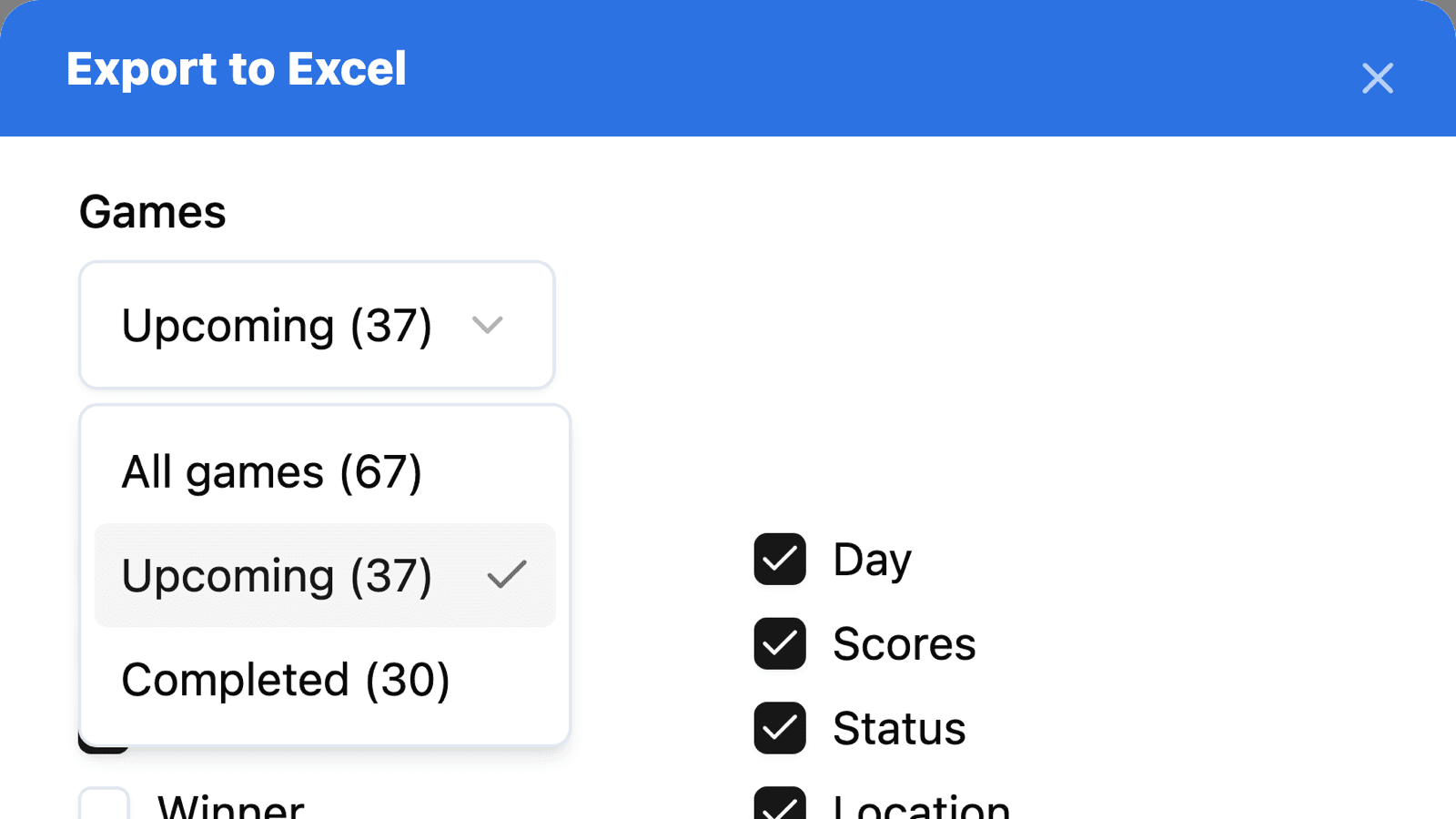
The dialog asks one question about the games: All games, Upcoming, or Completed. Each option shows how many games it holds—“Upcoming (37)”, “Completed (30)”—so you know what the file will contain before you export it.
“The results so far” and “everything still to play” are both documents people ask for, and which one you want has little to do with what the table happened to be showing. So the choice opens on whatever the schedule tab is filtered to, and changing it in the dialog exports a different set without re-filtering the table behind it.
The team filter works the other way: it comes from the tab. If you're looking at one team's games, the dialog says so—“Blizzard only”—so nobody discovers from the file that a filter was still on.
Choose the Columns
Date, home team and away team are always in the file. A schedule without them doesn't answer anything. Everything else is a checkbox, labelled with the column it produces:
- Game number, Day and Time
- Scores—a home and an away column, each sitting beside the team it belongs to
- Divisions—each team's division, offered only when the season is actually split into divisions
- Status—Scheduled, Live, Final, Final (OT) or Final (SO)
- Winner—the winning team, or “Tie”
- Location and Address
- Playoff / Regular
- Notes—the note attached to each game
The defaults are what a printed schedule normally carries. Winner starts off because the scores already say it, and Address starts off because it's the widest column in the sheet and most leagues play the same handful of rinks all season. Whatever order you tick them in, the sheet lays the columns out the same way every time.
A Spreadsheet That Behaves Like One
A lot of “exports” are text pretending to be a spreadsheet. This one is built to be worked with:
- Dates and times are real Excel values, not text, so they sort chronologically and Excel's date filters group them properly. They carry the league's local time, so a 7:45 PM puck drop reads 7:45 PM on any computer that opens the file.
- Every column has a filter, and the header row stays frozen as you scroll.
- No title banner. The sheet starts on its headers in row 1. A merged block of text above the data would push it down and break the filter, and the file name already says what it is—your league, the word “schedule”, and the date it was exported.
- An unplayed game has a blank score, not a zero. A 0 in that column reads as a shutout that never happened.
- Games run oldest to newest, whichever way the tab happened to be sorted.
It also looks like your league. The header row is filled with your association's colour, rows are lightly banded so a long season stays easy to follow across the page, and playoff games are tinted so they stand out from the regular season.
In English or French
The file follows the language you're using HockeySync in. In French, the column headings, statuses and day names are in French, dates put the day before the month, and times use the 24-hour clock—because “1:00 PM” isn't how a Quebec schedule is read.
Where to Find It
Open your league's Schedule tab, click the gear icon above the games, and choose Export to Excel. It sits beside the PDF export in the same menu.
Like the schedule itself, the export is public. A coach, a parent, or a player looking at your league's schedule can take their own copy without asking anyone—which is the email to the league office that never has to be sent.
Available Now
Excel export is live on every HockeySync schedule, in English and in French. Nothing to switch on.
Not using HockeySync yet? Sign up free and put your schedule in front of everyone who needs it.