Someone at the end-of-season party asks who the league's all-time leading scorer is. Three people answer with three different names. Everyone agrees on the guy who's been around since the first season, but nobody knows his number, and the only way to find out is to open every season's stats one at a time and add them up on a napkin.
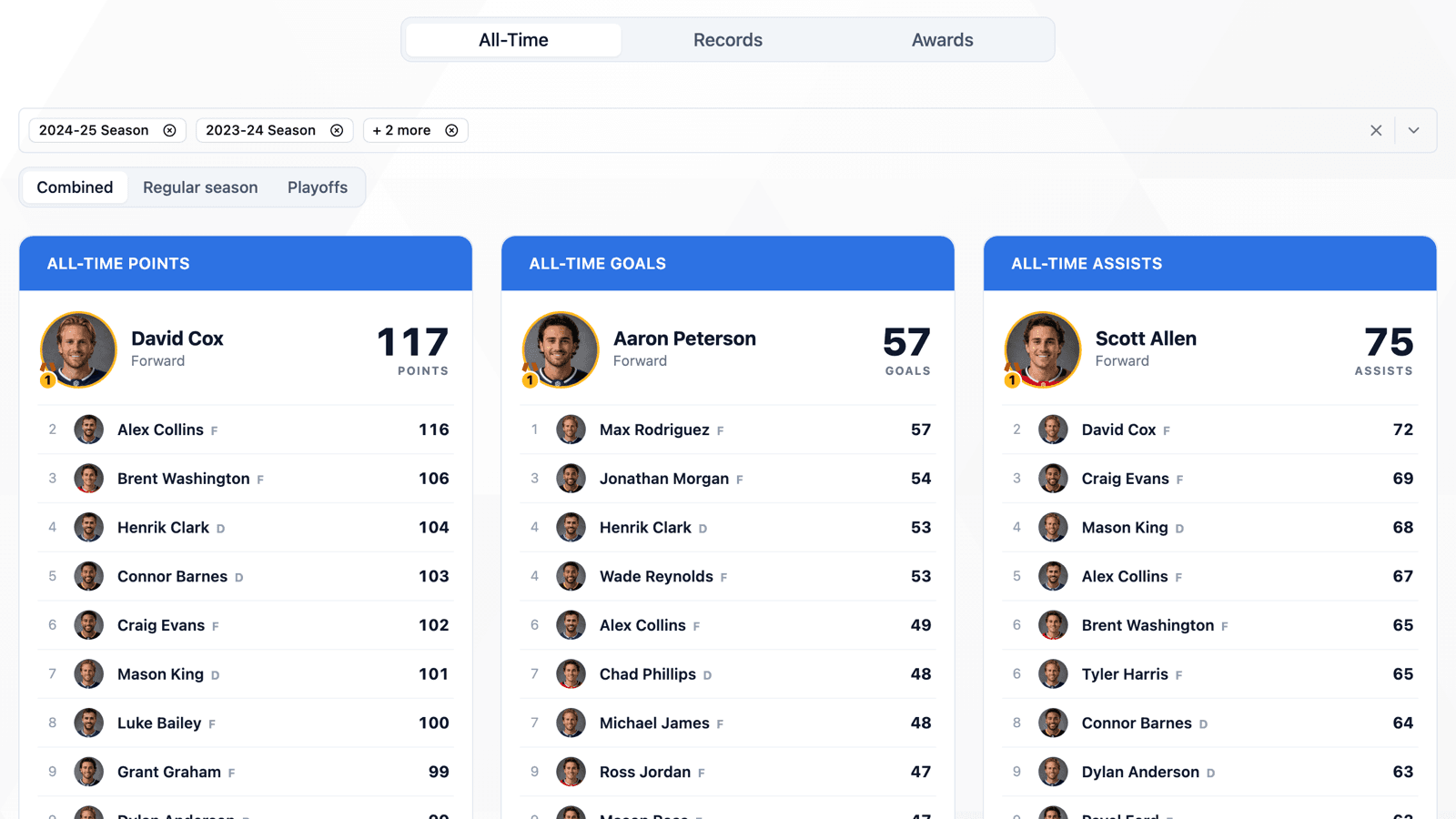
All-Time records do that addition for you. Every HockeySync league now has an All-Time tab on its records page: career leaderboards and a full career table for every player, added up across the league's seasons. It's the first tab the records page opens on, ahead of Records and Awards.
Seven All-Time Boards
The tab opens on seven leaderboards, ten names each:
- All-Time Points
- All-Time Goals
- All-Time Assists
- Most Games Played
- Most Penalty Minutes
- Most Goalie Wins
- Most Shutouts
Each board features its leader with a photo and the number, then lists the rest. The two goalie boards list goalies only, and nobody appears on a board with a zero, so a young league shows a short board instead of ten goalies with no shutouts.
Ties are handled the way a record book would handle them. Two players on the same total share a rank, and the next rank is skipped—1, 1, 3. Points, goals and assists break ties the same way the season leaderboards do, so a tie can't resolve one way this season and another way all-time. Games played ties go to the player with more points, and goalie wins ties go to the goalie with fewer losses.
Every Player, Not Just the Top Ten
Under the boards is Every player: one row per person, with the same columns as the league's players tab. Skaters show seasons played, games, goals, assists, points, power-play and shorthanded goals and assists, game-winning goals and penalty minutes. Goalies show wins, losses, ties, shutouts, goals against, goals-against average, saves and save percentage.
Every column sorts, and there's a search box for finding one player in a league's whole history. The boards and the table come from the same numbers, so the leader on a board and the top of the table always agree.
Choose the Seasons
Every season the league has played is included by default. The season picker at the top lets you drop any of them—leave out the first season if it was an exhibition year, or narrow the list to the last five seasons for a modern-era board. The boards and the table update together.
The SEA column counts only the seasons a player actually played in, so a player who was on a roster but never dressed isn't credited with the season.
Combined, Regular Season or Playoffs
A toggle next to the season picker switches between three views: Combined, Regular season and Playoffs.
Combined is listed first and is where the tab opens. A career is every game a player played, and a board that opened on the regular season alone would quietly leave the playoffs out of a number labelled “all-time.” Regular season and Playoffs are there when you want to narrow it down—who has the most playoff goals in league history is its own question.
In the Playoffs view, players who never played a playoff game drop out of the table instead of filling it with rows of zeros.
Public, Like the Rest of Your Stats
The All-Time tab is on the league's public records page, so players, parents and alumni can open it without signing in. Every number on it is already public one season at a time on the players tab; this just adds them up. The totals are for one league, counting only that league's own seasons.
The Records and Awards tabs gained something too: a season switcher. Both used to show only the current season. Now you can look back at any season, and the season is in the page's address, so you can send someone a link to it.
Where to Find It
Open your league, go to More and choose Records. The All-Time tab is first. If you want to browse a single season instead, the season switcher still takes the whole league back to any past season.
Available Now
All-Time records are live for every HockeySync league, in English and in French, and cover every season your league has played on HockeySync. There's nothing to set up—the boards fill themselves from the stats you already keep.
Not using HockeySync yet? Sign up free and start building your league's record book.